

Description
Download Artevy – AI art generator, AI art app, generate art with AI
Overview
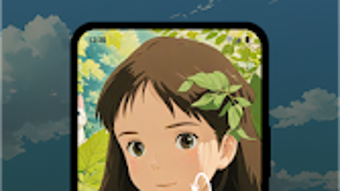
Artevy: AI Art Generator is a free Android application designed to empower users in creating AI-generated artwork. The software serves as a digital creative tool for individuals interested in exploring artificial intelligence-driven artistry. It enables users to transform abstract ideas or simple inputs into visually compelling pieces of digital art. By leveraging advanced algorithms, Artevy aims to simplify the artistic process, making it accessible to both amateur creators and experienced artists. The app is particularly suited for users who wish to experiment with AI drawing, AI painting, and other forms of AI artwork without requiring extensive technical or artistic expertise.
Real-world usage scenarios include personal expression, social media content creation, concept design for creative projects, and artistic experimentation. The app’s ability to convert ordinary photos into unique artistic renditions adds value for users seeking innovative ways to repurpose visual content. While the developer, Artevy, did not provide additional details about their background or development philosophy, the application’s focus on accessibility and creativity suggests a user-centered design approach. The tool is positioned as a modern AI creative tool for the digital age, supporting a broad audience in discovering new dimensions of artistic expression.
Key Features & Capabilities
- Instant AI Artwork Generation – Users can generate original digital art in seconds by entering text prompts or selecting predefined styles. This feature enables rapid ideation and visualization of creative concepts.
- Photo-to-Art Transformation – The app allows users to upload ordinary photographs and apply AI-driven artistic filters to convert them into unique paintings, sketches, or stylized images.
- User-Friendly Interface – Designed with intuitive navigation, the interface supports seamless interaction for users of all skill levels, minimizing the learning curve.
- Direct Sharing Integration – Created artworks can be shared instantly across social platforms, enabling users to showcase their creations within a community of art enthusiasts.
- Style Customization Options – Users can explore various artistic styles such as impressionism, cyberpunk, watercolor, and more, allowing for diverse creative outcomes.
These features support a wide range of applications, from generating concept art for personal projects to creating unique visuals for digital portfolios or online content. The ability to transform photos into artistic renditions is especially useful for users looking to enhance or reframe existing visual material. By combining AI drawing with style adaptation, Artevy enhances creative workflow efficiency and encourages experimentation without the need for traditional art tools.
User Interface, Workflow & Performance
The user interface of Artevy is structured around simplicity and visual clarity, prioritizing ease of use across the Android platform. Navigation is designed to guide users through the core functions—input, generation, and sharing—with minimal steps required. The layout supports touch-based interactions, making it responsive and intuitive for mobile users. Workflow efficiency is enhanced by streamlined processes, such as direct image uploads and one-tap generation, reducing time spent on setup.
Performance observations are based on general software behavior patterns. The app operates within a 40.5 MB installation size, which suggests optimized resource usage. However, exact performance details, including CPU and RAM behavior, were not specified by the developer. Stability during extended use and background operation remains unverified. The developer did not provide additional system requirements, so users should expect typical performance for Android applications of similar scope. No reported issues with crashes or lag were mentioned in the provided information.
Compatibility & System Requirements
Artevy is designed for Android devices, ensuring compatibility with a wide range of smartphones and tablets running the supported OS versions. The software version is 1.0.5, with a file size of 40.5 MB, indicating a lightweight installation. While the specific Android OS version requirements were not listed, the app is expected to function on modern Android devices released within the last few years. The developer did not specify hardware requirements such as processor speed or RAM capacity. As such, exact system requirements were not listed, and users are advised to ensure their device meets standard Android application standards.
Installation is straightforward, with the app available through official Android distribution channels. The app does not require root access or special permissions beyond standard image and internet access. Compatibility information was partially provided, and users should verify device compatibility before installation.
Pros and Cons
Pros
- Free to download and use with no hidden costs
- Intuitive interface suitable for both beginners and experienced users
- Fast AI-generated art creation with minimal input
- Photo-to-art transformation enables creative repurposing of existing images
- Direct sharing options support community engagement
- Lightweight installation at 40.5 MB
Cons
- Limited to Android platform; no support for Windows or Mac
- Exact system requirements were not listed
- No information on offline functionality
- Advanced customization options not detailed
- Updates and future feature roadmap not disclosed
FAQ Section
Is Artevy available for Windows or Mac?
Currently, Artevy is only available for Android devices. There is no official version for Windows or Mac operating systems.
Is the app safe to download and use?
Artevy is a free Android application that operates within standard app security protocols. As with any third-party app, users should download it from trusted sources to ensure safety.
Does Artevy require an internet connection?
While the app’s core functionality involves AI processing, which typically requires online access, specific details about offline usage were not provided. Users should assume internet connectivity is needed for full functionality.
How often are updates released?
The release date of the current version is 2024-05-12. However, the update frequency and release schedule were not disclosed by the developer.
What type of license does Artevy use?
Artevy is offered as a free application with no explicit license details provided. It is distributed under a standard free-to-use model, but users should review the app’s terms of service for specific usage rights.
Final Thoughts
Artevy: AI Art Generator presents a compelling entry into the growing space of AI creative tools. Its ability to generate stunning AI artwork from simple inputs, combined with a user-friendly interface, makes it a strong option for Android users exploring digital art. The app excels in accessibility, enabling both casual users and creatives to experiment with AI drawing and painting without technical barriers. While its platform limitation to Android and lack of detailed system specifications may restrict some users, the lightweight design and free availability enhance its appeal.
For individuals seeking a modern AI art app that delivers fast, visually engaging results, Artevy offers a practical solution. The integration of photo transformation and social sharing further strengthens its utility in personal and creative workflows. Overall, it stands out as a capable digital art tool for those embracing AI-powered creativity on mobile devices.
Download Artevy now
Guides & Tutorials for Artevy AI Art Generator
How to install Artevy AI Art Generator
- Click the Preview / Download button above.
- Once redirected, accept the terms and click Install.
- Wait for the Artevy AI Art Generator download to finish on your device.
How to use Artevy AI Art Generator
This software is primarily used for its core features described above. Open the app after installation to explore its capabilities.
User Reviews for Artevy AI Art Generator 0
No reviews found





